Q: I want a record of the items that I purchased, with the catalog description and photos.
A: Here you go!
UPDATE:
Invoices and items from January 2011 onwards are available for you to view and download. Due to operational constraints, we cannot make everything available all the way back to the beginning of time, but we will try to keep records visible that go back at least 6 months from the present date.
Hey gang:
This feature made it's debut appearance July 2010, but a lot of folks are new to the website or simply missed it 1st time around, so we are posting this news article here on a more long-term basis.
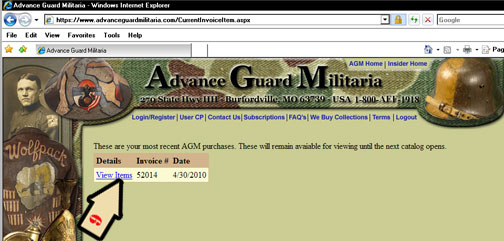
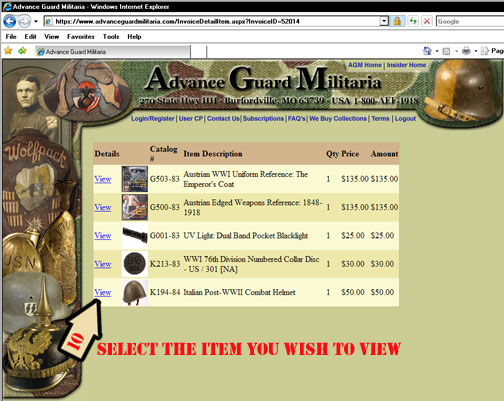
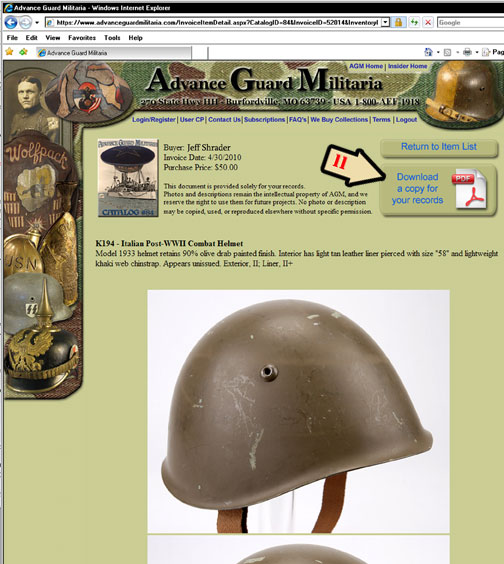
Here’s the scoop - you can now view items that you have purchased and download a copy of the photos and description for your records, even after the item has ’disappeared’ from the website because it is sold. On your USER CP page, there is now a button "View my AGM Purchases". Click that and it will take you to your current list of invoices. Choose the invoice, then choose the item you wish to view / download. Click "Download a Copy for your records", and it will generate a .pdf file for you.
Sound simple? Well it is except for the few items that existed in quantity on one catalog and have since moved on to be relisted in a newer catalog. Many of these do not show up properly with this system. Those are primarily going to be reference books, blacklights, etc., and I did not figure you all really need or want downloaded records for those; this is more for the unique individual items (helmets, uniforms, medal groups, etc.) Besides, it would have cost another gazillion$$ to figure out how to include the ’multiples’ from previous catalogs.. so they are just casualties of the process. Therefore, if you pull up your invoice and one or two of the items show up with photos, but have no description or other information, that is why.
ALSO - this will only work for customers who are registered on the website and use our online ordering system. If you are not registered and want to have nifty descriptions and photos of the items that you have purchased - then by all means REGISTER. We will not be making ’special exceptions’ for a few hundred people who for one reason or another do not like to register on websites. If you were not registered before and do so now, your past orders will not show up on your USER CP page, but all future ones will.
To see your item(s)
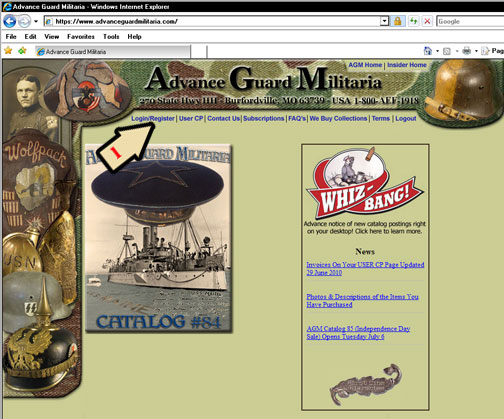
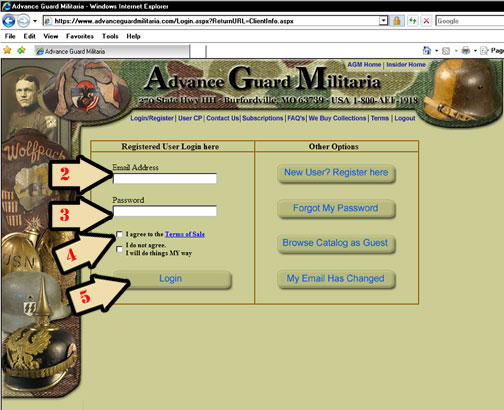
>Log In
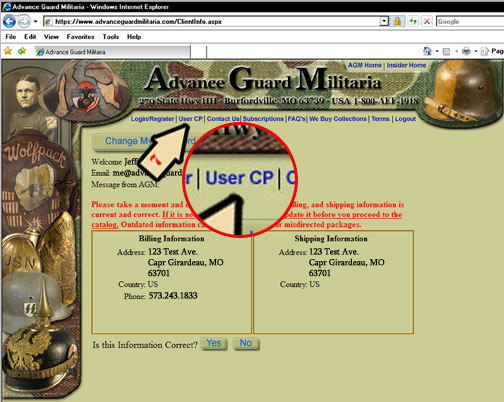
>Click USER CP
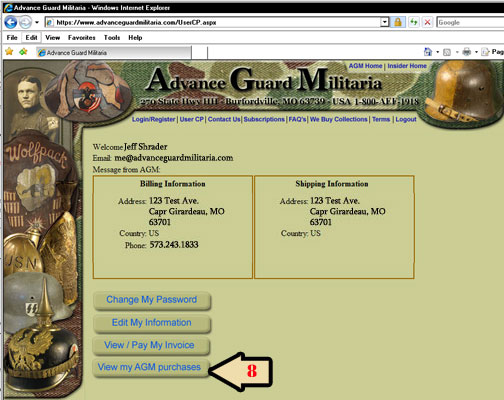
>Click VIEW MY AGM PURCHASES
>Choose the invoice you wish to view
>Choose the item you wish to view
>Click DOWNLOAD A COPY FOR MY RECORDS
>Use your browser’s ’back’ button or click RETURN TO ITEM LIST
Here’s the visual step-by-step for anyone having trouble figuring it out:
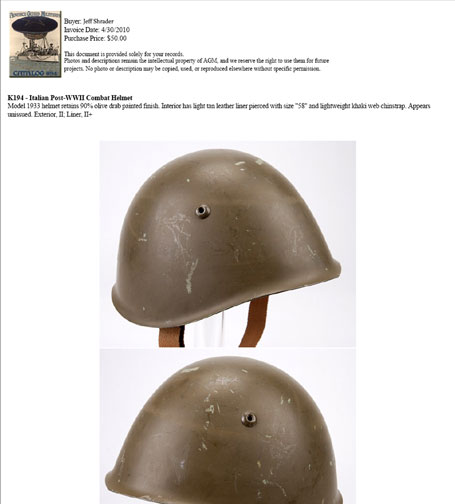
You can then print this document, save it, etc.
OK - I just noticed that the little arrow #6 escaped. No worries! I’ll find something for him to do later.